

For Pocket Edition players looking to unlock the full potential of their sandbox adventures, Toolbox For Minecraft PE remains the ultimate utility companion. Functions like giving yourself rare items, activating X-Ray vision to spot diamonds instantly, or toggling Fly mode in Survival can transform how you experience the game.
Whether you are looking to test complex builds, save time on grinding resources, or explore advanced world-editing features, here is everything you need to know about this essential companion tool.
What is Toolbox For Minecraft PE?
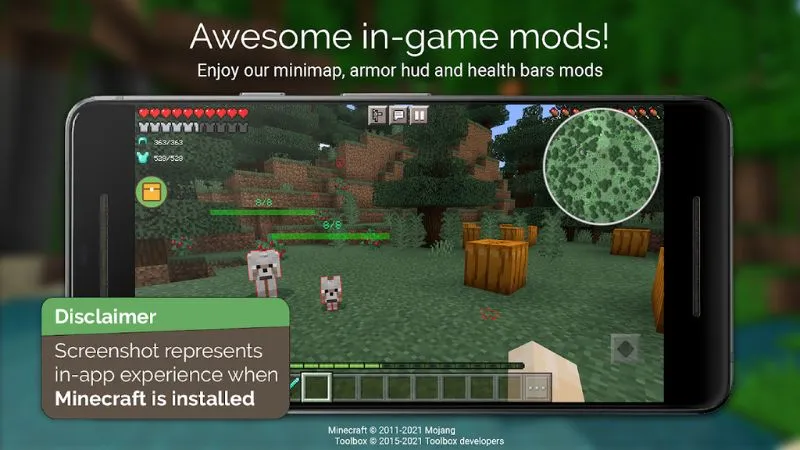
Toolbox For Minecraft PE (often referred to as Toolbox for MCPE) is an all-in-one launcher and modding toolbox designed specifically for Android. It acts as an overlay mod launcher that hooks directly into your installed Minecraft Pocket Edition client, giving you an in-game side panel loaded with real-time cheats, world modifiers, and inventory shortcuts.
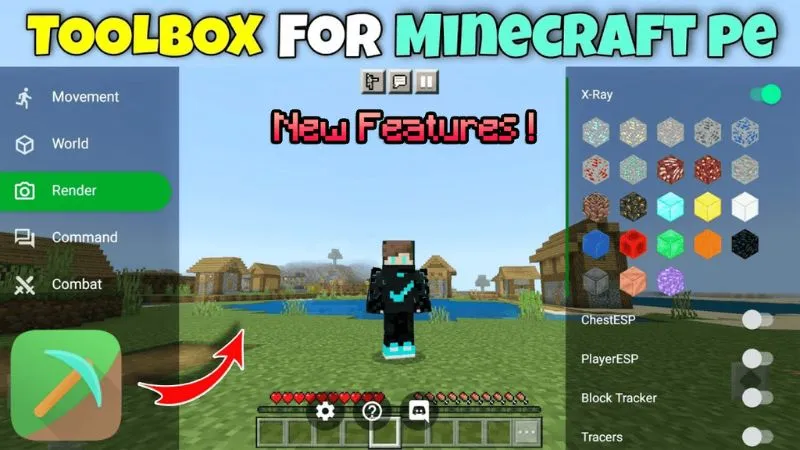
Rather than installing complex third-party mod loaders or editing game files manually, Toolbox provides a clean floating menu interface that lets you toggle powerful cheats and utilities with a single tap.
Key Features of Toolbox For Minecraft PE
The utility bundles dozens of essential tools and features that streamline both creative building and survival gameplay:
Item & World Management
-
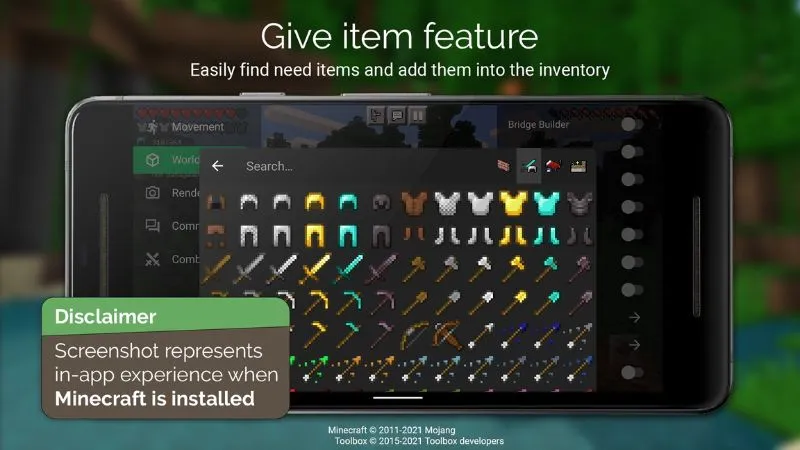
In-Game Item Spawner: Give yourself any block, tool, or rare resource (like Netherite, Diamonds, or Enchanted Golden Apples) directly from a organized menu without switching to Creative Mode.
-
Enchantment Editor: Apply maximum-level custom enchantments (e.g., Sharpness 100 or Protection 100) to any weapon, tool, or armor piece instantly.
-
Teleportation: Save custom coordinate waypoints across your worlds to instantly teleport between your home base, deep caves, and Nether portals.
-
Weather & Time Control: Change time from Day to Night or toggle Rain and Thunderstorms on demand.
Survival & Combat Advantages
-
X-Ray Vision: See through stone, dirt, and gravel layers to pinpoint hidden ores, dungeons, and chest rooms underground.
-
Health & Food Locks: Lock your health bar to invincibility (God Mode) and freeze hunger depletion.
-
KillAura & Auto-Armor: Automatically strike nearby aggressive mobs and instantly equip the best armor from your inventory during surprise attacks.
Movement & Navigation Tools
-
Fly in Survival: Take to the skies in Survival mode without needing Elytra or Fireworks.
-
Speed & High Jump: Adjust character movement speed multipliers and jump height for fast map traversal.
-
Noclip / Phase: Pass directly through solid walls and blocks to recover lost items or inspect cave structures.
How to Install Toolbox For Minecraft PE on Android
Setting up the tool on your device requires only a few quick steps:
-
Check Compatibility: Ensure you have a compatible version of the game installed on your device. You can grab the latest client directly via Minecraft APK.
-
Download the File: Get the latest version of the utility from our dedicated Tools section.
-
Enable Unknown Sources: Go to your device
Settings > Security / Privacyand enable “Install apps from unknown sources”. -
Install & Launch: Open the downloaded
.apkfile using your File Manager to complete installation. Launch the tool icon to start the game with the floating overlay menu enabled.
Note: Looking for another popular sandbox experience or modded utility? Check out our guide for Minecraft 1.21.50 Apk to explore the newest Bedrock features and updates.
Frequently Asked Questions (FAQ)
Does Toolbox For Minecraft PE work on multiplayer servers?
While the overlay works in single-player and private local worlds, most public multiplayer servers use strict anti-cheat plugins that detect tools like X-Ray or Speed hacks, which can result in an automated ban. Use it responsibly in single-player or private friend sessions.
Why is Toolbox closing or crashing on launch?
Toolbox relies directly on memory hooks linked to specific game versions. If your client updates to a newer version before Toolbox receives an update, the app may crash. Always ensure both your client version and Toolbox build match.
Do I need a rooted Android device to use Toolbox?
No. Toolbox works on standard, non-rooted Android devices running modern OS versions.
Is Toolbox For Minecraft PE safe to download?
Yes. Downloading the clean APK file from verified sources ensures your device stays secure and free from malware or adware.


