

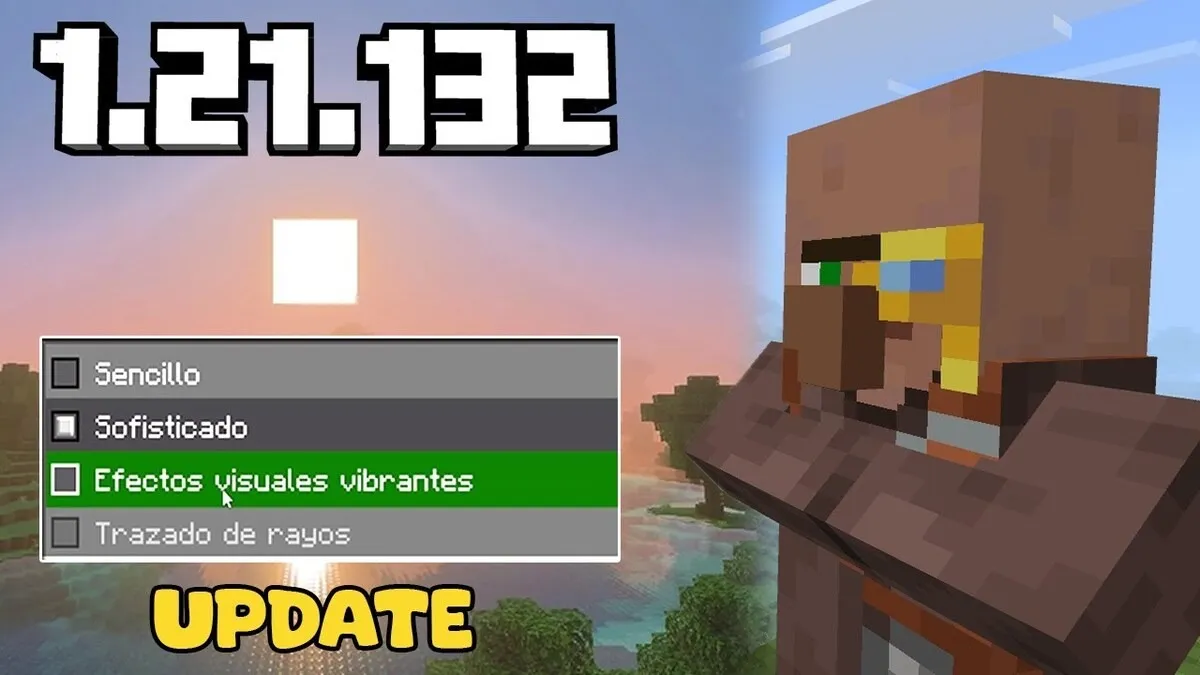
Minecraft 1.21.132 is a Bedrock Edition hotfix released on January 8, 2026. It does not introduce new blocks, mobs, biomes, or major gameplay features. Instead, the update addresses problems involving split-screen player data, texture reloading, add-on resources, commands, the compass sprite, Realms purchases, and attachable rendering.
Players interested in this archived release can review its verified changes, Android file information, requirements, and installation guidance below. If you are looking for the newest release rather than this specific version, visit the Minecraft APK homepage.
What Is Minecraft 1.21.132?
Minecraft 1.21.132 is a maintenance release for Minecraft: Bedrock Edition. Mojang published it to address issues discovered after the preceding update rather than to add new gameplay content.
The official changelog lists fixes across several areas:
- Xbox accounts and split-screen sessions;
- Graphics and texture reloading;
- Add-on resources;
- Commands and player disconnections;
- Compass rendering;
- Realms purchases on Nintendo Switch;
- Technical rendering for attachable items.
This makes version 1.21.132 most relevant to players affected by one of those specific bugs. Players expecting new mobs, blocks, structures, or survival mechanics will not find them in this hotfix.
What’s New in Minecraft 1.21.132?
Xbox split-screen player data fix
The update fixes a problem that could disconnect player data from an Xbox account during a split-screen session. This issue was tracked by Mojang as MCPE-233088.
This correction is specifically related to Xbox split-screen play. It should not be described as a general Android account improvement.
Textures reload correctly
Textures should now reload correctly when players switch between graphics modes from the main menu. Before this fix, changing the graphics setting could result in textures not being refreshed as expected.
The fix helps prevent missing, outdated, or incorrectly displayed textures after changing the selected graphics mode.
Add-on resources remain available in split-screen
Minecraft 1.21.132 fixes an issue that caused add-on resources to disappear after a second player joined a split-screen session. Mojang tracks this issue under MCPE-233369.
This fix is useful for local multiplayer sessions that use compatible resource packs or add-ons.
Invisible compass sprite fixed
Minecraft 1.21.132 corrects an issue in which the compass sprite could occasionally become invisible. The related bug report is MCPE-232933.
The compass itself was still an existing game item. This update only corrects its visual presentation and does not add new compass functionality.
Nintendo Switch Realms freeze fixed
Mojang fixed a freeze that could occur when purchasing a Realm on Nintendo Switch. This is a platform-specific correction and does not represent a broader change to Realms subscriptions on Android.
Attachable rendering corrected
The technical changes include a fix for attachables that did not render correctly when the game was paused or when they appeared inside an NPC interface.
In Bedrock add-on development, attachables are commonly used to define how equipped items and similar objects are rendered. This correction is therefore most relevant to creators and players using compatible custom content.
Does Minecraft 1.21.132 Add New Features?
No. Minecraft 1.21.132 is a hotfix rather than a major content update. Mojang’s release notes do not announce new blocks, mobs, biomes, dimensions, structures, weapons, or game modes.
Standard Bedrock Edition features remain available, including:
- Survival and Creative modes;
- Randomly generated worlds;
- Local and online multiplayer;
- Featured servers and Realms;
- Compatible skins, maps and resource packs;
- Add-ons supported by the installed version;
- Previously released content such as Trial Chambers, the Breeze, the Crafter and the Mace.
Before Downloading Minecraft 1.21.132
Check the following details before downloading or installing the Android package:
- Confirm that the displayed file version is 1.21.132 or the verified Android build.
- Compare the package name with the application already installed on the device.
- Check the actual file size and available storage.
- Confirm that the file supports your Android version and processor architecture.
- Back up all important Minecraft worlds.
- Make sure the file comes from an authorized and trustworthy source.
- Scan externally distributed files before opening them.
- Avoid packages advertised with unauthorized modifications or unlocked commercial content.
How to Install or Update Minecraft 1.21.132 on Android
The exact process depends on where the game was obtained.
Updating from an official store
- Open the store associated with your Minecraft purchase.
- Sign in with the account that owns the game.
- Locate Minecraft.
- Review the version currently offered.
- Select Update if the required version is available.
Official stores may distribute only the current supported version rather than an archived build.
Installing a verified Android package
- Back up important worlds.
- Check the APK version, package name, signature and file size.
- Open the verified installation file.
- Allow installation from the selected source only if required.
- Follow the Android installation prompts.
- Open Minecraft and confirm the version displayed in the game.
- Check that existing worlds, account access and add-ons work correctly.
- Disable unnecessary installation permission afterward.
An update may fail if the new file uses a different package name or digital signature from the installed application.
Conclusion
Minecraft 1.21.132 is a focused Bedrock Edition hotfix released on January 8, 2026. Its most important changes address Xbox split-screen player data, texture reloading, disappearing add-on resources, command disconnections, compass visibility, Nintendo Switch Realms purchases and attachable rendering.
The release does not contain new gameplay content and is no longer the latest Minecraft version. Use it only when you need this specific build, verify all Android file information before installation, and back up valuable worlds before changing versions.
Frequently Asked Questions
Is Minecraft 1.21.132 a major update?
No. It is a maintenance hotfix focused on fixing problems found in a previous Bedrock release.
Does Minecraft 1.21.132 add new blocks or mobs?
No. The official changelog contains bug fixes and does not list new blocks, mobs, biomes or gameplay systems.
What does Minecraft 1.21.132 fix?
It fixes Xbox split-screen account data, texture reloading, disappearing add-on resources, command-related disconnections, an invisible compass sprite, a Nintendo Switch Realms freeze and attachable rendering.
Is Minecraft 1.21.132 available for Android?
Version 1.21.132 belongs to the cross-platform Bedrock update line. Availability of a specific archived Android build depends on the authorized distribution source.
Will updating delete my Minecraft worlds?
An ordinary update is intended to retain application data, but problems can still occur when packages, signatures or storage locations differ. Export important worlds before updating, downgrading or uninstalling the game.


good good