

Modding Minecraft Pocket Edition (MCPE) used to involve manually moving .mcpack or .mcworld files into obscure system folders. Mods Addons For Minecraft Pe solves this hassle by offering a massive, all-in-one utility app designed to download and install custom content directly into your game with a single tap.
At Minecraft APK, we curate top-tier gaming utilities to enhance your Bedrock Edition experience. Whether you want to add realistic furniture, drive vehicles, fight mythical dragons, or apply HD shaders, Mods Addons For Minecraft Pe is a must-have application in our Tools hub.
What is Mods Addons For Minecraft Pe?
Mods Addons For Minecraft Pe is an all-in-one content installer and utility app for Android devices running Minecraft PE / Bedrock Edition. Unlike traditional mod launchers, this application leverages Mojang’s official Addon system (.mcaddon and .mcpack formats). This means you do not need to root your phone or modify core game files to enjoy new content.
The app serves as a regularly updated library containing thousands of community-created addons, survival maps, custom character skins, texture packs, and pre-built structures.
Key Features of Mods Addons For Minecraft Pe
1-Click Auto-Installation
The stand-out feature of this tool is its automated file management. When you choose a mod or map, the application downloads the file and automatically launches Minecraft PE to import the pack directly into your global resources or world settings.
Extensive Categorized Content Library
The app organizes content into easy-to-browse categories:
-
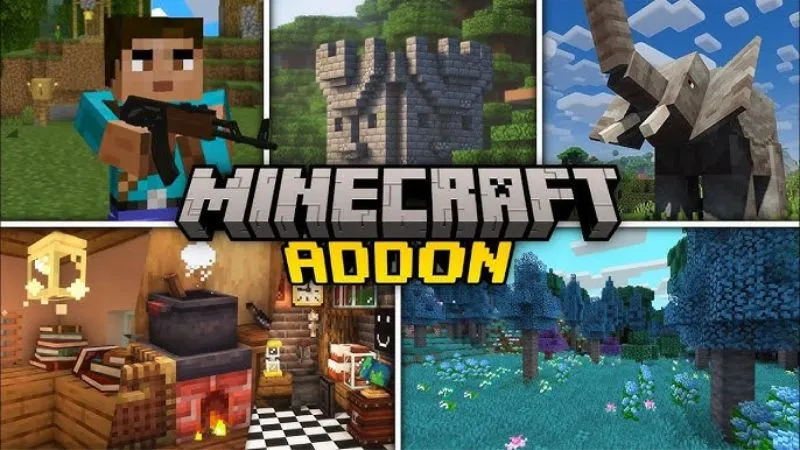
Popular Addons: Lucky blocks, weapons, guns, furniture, cars, and anime characters.
-
Survival & Minigame Maps: Skyblock, One Block, Parkour, Horror, and PvP arenas.
-
Textures & Shaders: Realistic 32×32 to 128×128 texture packs, realistic lighting, dynamic water, and ray-tracing shader effects.
-
Skins & Costumes: Thousands of skins organized by anime, superheroes, mobs, and camouflage styles.
Automatic World Building Import
Save hours of building time with the structural import tool. You can place fully built houses, mansions, castles, and redstone contraptions directly into your existing Minecraft world with a few taps.
Daily Content Updates
The catalog updates daily with newly released and trending community creations tested for compatibility with the latest version of Minecraft PE.
How “Mods Addons For Minecraft Pe” Compares to Other MCPE Tools
While Mods Addons For Minecraft Pe excels at providing a quick, 1-click content marketplace, other utilities offer distinct modding and gameplay modification methods:
| Feature | Mods Addons For Minecraft Pe | Toolbox For Minecraft PE | BlockLauncher Pro |
| Primary Function | 1-Click Addon & Map Installer | In-game GUI overlay & Cheats | Script & ModPE Injector |
Supports .mcaddon / .mcpack |
Yes | Yes | Partial |
| In-Game Cheat Menu | No | Yes | No |
| Custom ModPE Scripts | No | No | Yes |
| Ease of Use | Very Easy | Easy | Advanced |
If you are looking for an in-game tool menu that provides mini-maps, inventory editing, and player status toggles, check out Toolbox For Minecraft PE. For deep script injection and PTPatch support, explore BlockLauncher Pro.
How to Install and Use Mods Addons For Minecraft Pe
Prerequisites
-
Ensure you have the official version of Minecraft Pocket Edition installed on your Android device.
-
Allow the app to access your device’s storage permissions so it can write
.mcpackand.mcworldfiles to the Minecraft directory.
Step-by-Step Usage Guide
-
Download the App: Download the verified Mods Addons For Minecraft Pe APK from Minecraft APK.
-
Browse the Library: Open the application and browse through the Addons, Maps, Skins, or Textures tabs.
-
Select Your Content: Tap on any mod to view its description, screenshots, and version compatibility details.
-
Tap Install: Click the Install or Download button. The app will fetch the necessary files.
-
Open Minecraft: Tap Open Minecraft. The game will launch automatically and display an “Import Started” message at the top of the screen.
-
Activate the Pack:
-
For Addons/Textures: Go to
Settings > Global Resourcesor your individualWorld Settings > Behavior Packs / Resource Packsand activate the installed pack. -
For Maps: Scroll to the bottom of your world list to find your imported world.
-
Frequently Asked Questions (FAQ)
Are Mods Addons For Minecraft Pe free to use?
Yes, the core application and the majority of mods, maps, and skins available within the app are completely free to download and install.
Why is my installed addon not showing up in Minecraft PE?
Ensure that you have enabled Experimental Gameplay features in your world settings (Holiday Creator Features, Custom Biomes, etc.). Many advanced addons require experimental toggles to function correctly.
Is Mods Addons For Minecraft Pe safe for my Android device?
Yes. When downloaded from Minecraft APK, the application package is thoroughly tested for malware and secure installation.
Do I need to root my Android phone to use this app?
No. The application utilizes Mojang's official Bedrock addon format (.mcaddon), which works natively on standard Android devices without requiring root access.


