

Minecraft Bedrock 26.40 is an official Bedrock Edition update released on August 4, 2026. This version focuses on gameplay fixes, Android and Vibrant Visuals improvements, accessibility updates, and experimental content including the Dappled Forest, Abandoned Camps, Poplar Trees, Cushions, and Straw Beds.
Some players search for this release as Minecraft 1.26.40 APK, but Mojang’s official public version number is Minecraft Bedrock 26.40.
If you want to explore more Android releases, visit Minecraft APK or browse the complete Minecraft category.
What’s New in Minecraft Bedrock 26.40?
Dappled Forest
The Dappled Forest is a new experimental biome that generally appears near colder biomes.
It contains:
- Poplar Trees
- Red, Orange, and Yellow Poplar Leaves
- Fallen Poplar Trees
- Shelf Mushrooms
- Red Shrubs
- Leaf Litter
- Cold variants of several animals
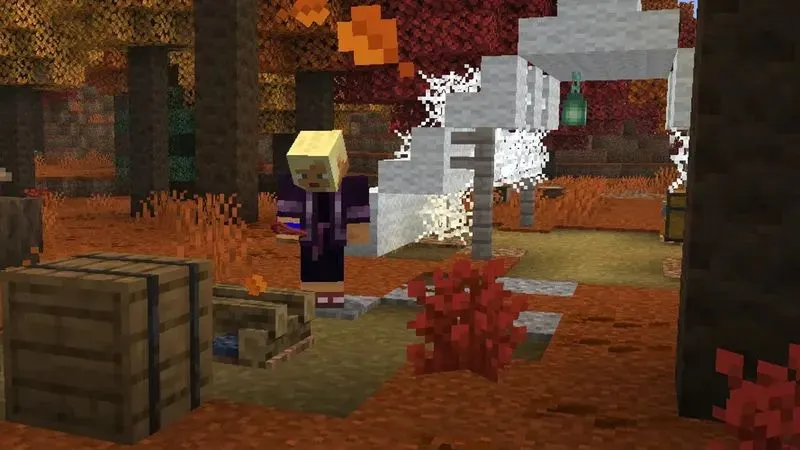
The three Poplar Leaf colors also produce matching falling-leaf particles, giving the forest a distinctive autumn appearance.
The Dappled Forest is experimental in Minecraft 26.40, so players need to enable the appropriate experiment before creating a world.
Poplar Trees and Wood Set
Poplar is a new tree type found in the Dappled Forest.
Its leaves are available in:
- Red
- Orange
- Yellow
Poplar Leaves can drop Poplar Saplings, and the logs can be crafted into a complete Poplar wood set for building. Wandering Traders can also offer Poplar Saplings.
The new wood gives builders more options for cabins, houses, bridges, interiors, and autumn-themed structures.
Abandoned Camps
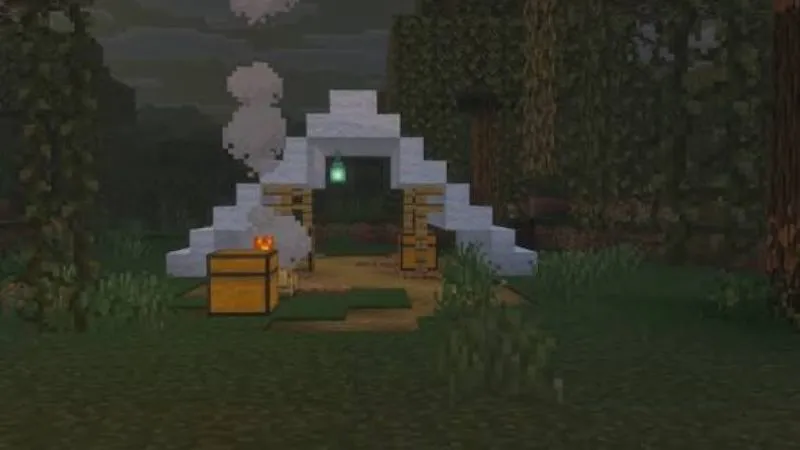
Abandoned Camps are new experimental structures that can generate across many Overworld biomes.
Examples include:
- Forest
- Birch Forest
- Taiga
- Snowy Taiga
- Savanna
- Swamp
- Cherry Grove
- Pale Garden
- Dappled Forest
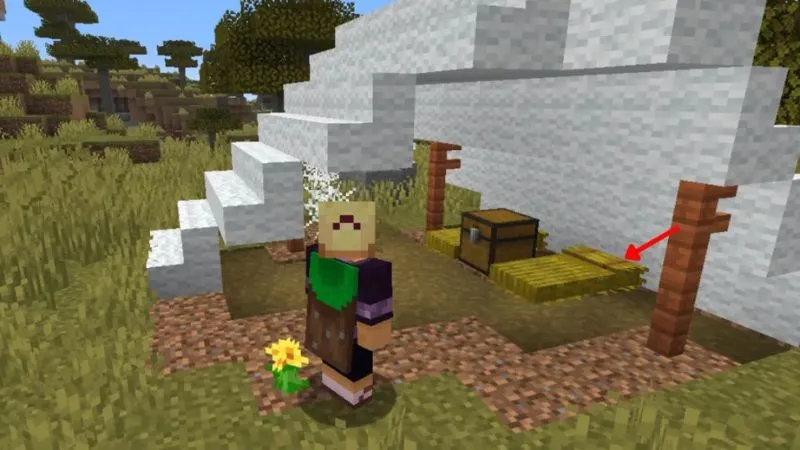
Each biome can use a different camp design. Players may find Chests, Barrels, Straw Beds, and other loot or decorative elements inside.
These structures give players another reason to explore beyond Villages, Temples, Trial Chambers, and other established locations.
Cushions
Cushions are placeable experimental items that players can sit on.
They come in 16 colors and are crafted using three Wool Slabs of the same color.
Cushions are useful for:
- Chairs
- Sofas
- Camps
- Houses
- Multiplayer meeting areas
- Interior decoration
They are mainly decorative but provide an actual sitting interaction.
Straw Bed
The Straw Bed is designed for exploration.
Unlike a normal Bed, it allows players to skip the night without changing their respawn point.
Important characteristics include:
- Crafted using 3 Hay Bales
- Produces 4 Straw Beds
- Single-use
- Breaks after sleeping
- Does not change the player’s spawn location
This makes it useful when traveling far from your base without wanting to overwrite your home spawn point.
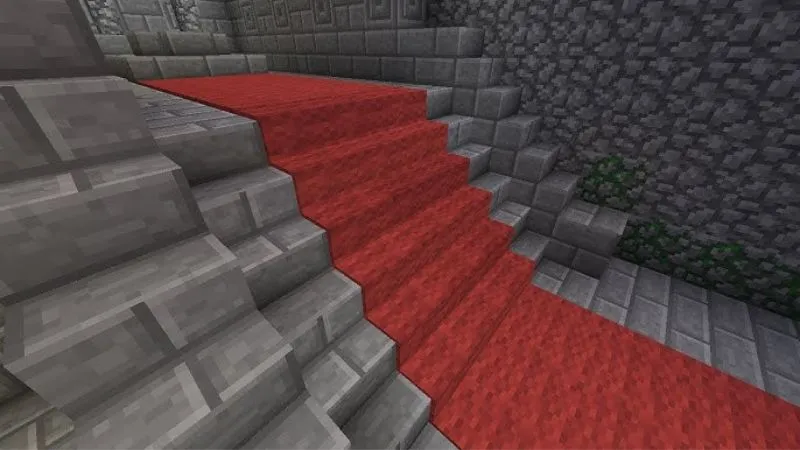
Wool Stairs and Slabs
Minecraft Bedrock 26.40 experiments also include Wool Stairs and Wool Slabs for all wool colors.
Builders can use them for custom:
- Furniture
- Carpets
- Sofas
- Stairs
- Decorative interiors
Wool Slabs are also used to craft Cushions.
Gameplay Improvements
Minecraft 26.40 contains several stable gameplay changes in addition to experimental content.
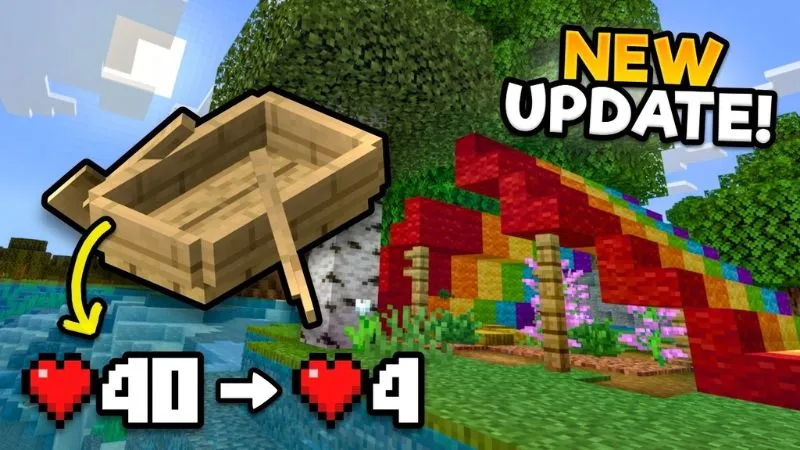
Boats
Boats now require fewer hits to destroy, bringing their behavior closer to Java Edition.
Accumulated Boat damage also recovers over time.
Minecarts
Mojang adjusted Minecart entity-separation behavior to work more like it did before Minecraft 1.21.0.
This may affect players using Minecarts for:
- Transportation
- Automatic farms
- Redstone systems
- Rail networks
Arrow Damage
Projectile damage calculations were adjusted so arrow damage is more closely connected to velocity rather than being heavily randomized.
This makes ranged combat more predictable.
Android and Vibrant Visuals Improvements
Minecraft Bedrock 26.40 includes several fixes aimed specifically at Android players.
Mojang addressed issues involving:
- Invisible items or text on some Android GPUs
- Vibrant Visuals device detection
- Visual artifacts
- Android graphics compatibility
The supported Android-device list for Vibrant Visuals was also updated.
Other graphics fixes affect textures, clouds, reflections, transparent blocks, PBR packs, and rendering behavior.
How to Install Minecraft Bedrock 26.40 APK on Android
Step 1: Download the APK
Download the Minecraft Bedrock 26.40 APK file to your Android device.
Make sure the file finishes downloading completely.
Step 2: Allow Installation
If Android blocks the APK, it may ask you to allow installation from your browser or file manager.
Enable permission only for the application being used to open the APK.
Step 3: Open the File
Go to:
Downloads → Minecraft APK → Install
Android will verify the package before installation.
Step 4: Complete Installation
Wait until the installation finishes.
After that, select Open.
Step 5: Verify the Version
Check the Minecraft main menu and confirm that you are using Bedrock 26.40.
Step 6: Test a Backup World
Do not immediately open an irreplaceable Survival world.
First test:
- World loading
- Inventory
- Resource packs
- Addons
- Redstone
- Multiplayer
- Experimental content
If everything works normally, you can continue using your main world.
How to Update to Minecraft Bedrock 26.40
If you already have an older compatible Minecraft installation, the APK may install as an update when:
- Package names match
- Application signatures match
- The installed version supports direct updating
If Android shows App Not Installed, do not immediately delete your current Minecraft installation.
Back up your worlds first.
Can You Downgrade to Minecraft 26.40?
Downgrading from a newer Bedrock release is not recommended for important worlds.
A world saved in a newer Minecraft version may contain blocks, entities, or world data that Minecraft 26.40 does not understand.
If you need this specific version:
- Back up your worlds.
- Export important saves if possible.
- Keep a copy of the newer installation data.
- Avoid opening your main newer-version world in 26.40.
How to Enable Dappled Forest and Other Experiments
The Dappled Forest, Abandoned Camps, Cushions, Straw Beds, and related Drop 3 features are experimental in Minecraft 26.40.
To test them:
- Select Create New World.
- Open World Settings.
- Go to Experiments.
- Enable the relevant Drop 3 experiment.
- Confirm the warning.
- Create the world.
Using a separate test world is recommended because experimental mechanics may change in later releases.
Common Minecraft 26.40 Installation Problems
App Not Installed
Possible reasons include:
- Different application signature
- Insufficient storage
- Corrupted APK
- Existing conflicting installation
- Unsupported Android environment
Check your worlds and backups before uninstalling anything.
Package Conflicts With Existing App
This often occurs when the installed Minecraft app and the new APK were signed differently.
Two APKs with the same package name but different signatures usually cannot directly update each other.
Minecraft Crashes After Installation
Try:
- Restarting the device
- Freeing storage
- Removing incompatible resource packs
- Disabling problematic addons
- Testing a new world
Minecraft 26.40 itself also received later hotfixes addressing crashes and other problems.
Addons Do Not Work
Addons may depend on a specific Minecraft Bedrock version.
Check the addon’s required version and update its behavior/resource packs if needed.
Minecraft 26.40 vs Later Hotfixes
Minecraft 26.40 is the main August 2026 Bedrock update, but Mojang released additional hotfixes afterward.
By August 20, version 26.45 was rolling out with fixes for Android Back-button behavior, Vibrant Visuals, add-on loading, Pocket UI, and an arrow self-hit issue.
| Version | Purpose |
| Minecraft 26.40 | Main update and Drop 3 experiments |
| 26.41–26.43 | Stability hotfixes |
| 26.44–26.45 | Additional gameplay, Android and UI fixes |
If you do not specifically require 26.40, a newer supported hotfix may provide a more stable experience.
Is Minecraft Bedrock 26.40 Worth Installing?
Minecraft Bedrock 26.40 is useful if you want to:
- Test the Dappled Forest
- Explore Abandoned Camps
- Build with Poplar wood
- Try Cushions and Straw Beds
- Test Drop 3 content
- Use this exact version for compatibility
- Access its Android and graphics improvements
For players who simply want the most stable Bedrock experience, a later 26.4x hotfix is generally preferable.
Conclusion
Minecraft Bedrock 26.40 APK is an important Android release that combines gameplay, graphics, accessibility, and Android improvements with an early look at Drop 3 content.
The biggest attractions are the Dappled Forest, Poplar Trees, Abandoned Camps, Cushions, Straw Beds, and Wool building blocks.
Before installing, back up your Minecraft worlds, confirm the version and package, and test the game with a copied world first. Experimental features should also be used in a separate world whenever possible.
Frequently Asked Questions
Is Minecraft 1.26.40 the same as Minecraft 26.40?
Players commonly search for “Minecraft 1.26.40,” but Mojang's official public release name is Minecraft Bedrock 26.40.
When was Minecraft Bedrock 26.40 released?
Minecraft Bedrock 26.40 was released on August 4, 2026.
What is new in Minecraft 26.40?
The update includes gameplay and Android improvements plus experimental Dappled Forest, Poplar Trees, Abandoned Camps, Cushions, Straw Beds, and Wool Stairs and Slabs.
Is Dappled Forest available by default?
No. In Minecraft 26.40, the Dappled Forest belongs to experimental Drop 3 content.
How do I enable Dappled Forest?
Create a new world, open Experiments, enable the relevant Drop 3 experiment, and then generate the world.


