

Minecraft Bedrock 26.45 is a hotfix released on August 20, 2026 to address problems found after the Bedrock 26.40 update. It does not introduce new mobs, blocks, or biomes. Instead, Mojang focuses on Android controls, Vibrant Visuals, inventory behavior, add-on stability, arrows, and technical fixes.
Players looking for Minecraft Android versions can visit Minecraft APK or browse the Minecraft category.
What’s New in Minecraft Bedrock 26.45?
Minecraft 26.45 is mainly a maintenance update. Mojang lists fixes across Android input, graphics, items, UI, add-ons, and technical systems.
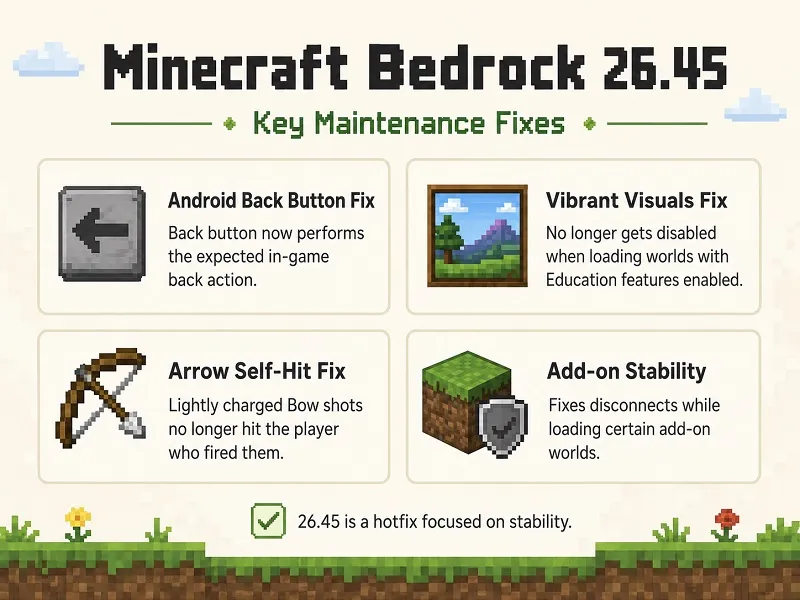
Android Back Button Fix
On Android, pressing the Back button now performs the expected in-game back action instead of sending Minecraft into the background.
This makes navigating menus and interfaces more consistent for mobile players.
Vibrant Visuals Fix
Minecraft 26.45 fixes an issue where Vibrant Visuals could be disabled when loading a world with Education features enabled.
This is useful for players using supported hardware and enhanced Bedrock graphics.
Arrow Self-Hit Fix
A bug could cause an arrow fired from a lightly charged Bow to hit the player who fired it.
Minecraft 26.45 corrects this behavior.
This fix also resolves one of the known arrow problems associated with the earlier 26.40 release.
Add-on Stability Improvement
Mojang fixed an issue that could disconnect players while loading worlds containing certain add-on content.
This change is particularly useful for players who regularly use:
- Behavior packs
- Resource packs
- Custom entities
- Add-on-based worlds
Pocket UI Inventory Fix
Minecraft 26.45 fixes an important Creative Mode problem affecting Pocket UI.
Shift-clicking an item no longer deletes it. Instead, the item is quick-moved into an available inventory slot as expected.
Command Changes
For non-operator players, Mojang removed self-selection expansion when using commands such as /tell.
This is mainly a multiplayer and command-system correction rather than a major gameplay feature.
Dimension Fix for Creators
Minecraft 26.45 also fixes a technical problem where minecraft:dimension_bounds and other values defined in custom dimension JSON files could be ignored.
This update is particularly relevant to addon and custom-content creators working with custom dimensions.
Does Minecraft 26.45 Add New Content?
No.
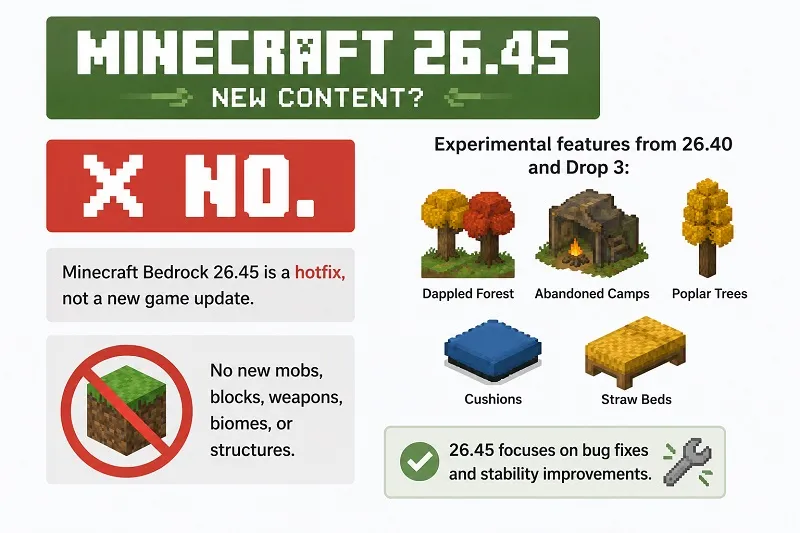
Minecraft Bedrock 26.45 is a hotfix, not a new game drop. Mojang does not list new mobs, blocks, weapons, biomes, or structures for this release.
The experimental features associated with this update branch—such as:
- Dappled Forest
- Abandoned Camps
- Poplar Trees
- Cushions
- Straw Beds
come from the earlier Minecraft Bedrock 26.40 release and its Drop 3 experimental content.
Minecraft 26.40 vs Minecraft 26.45
| Version | Main Purpose |
| Minecraft 26.40 | Main update with gameplay changes and Drop 3 experiments |
| Minecraft 26.45 | Hotfix with additional stability and bug fixes |
Minecraft 26.40 introduced the main August update, while 26.45 is designed to make that release branch more stable.
If you are already using 26.40, updating to 26.45 generally makes more sense unless you specifically need the older build for compatibility.
Before Installing Minecraft Bedrock 26.45
Back Up Important Worlds
Always protect your worlds before changing Minecraft versions.
To create a copy:
- Open Minecraft.
- Select Play.
- Find your important world.
- Open Edit World.
- Choose Copy World.
Use the copied world first after updating.
Check Your Current Minecraft Version
Look at the Minecraft main screen and confirm which Bedrock version is currently installed.
Updating from an older compatible build is generally safer than downgrading from a newer release.
Check Storage Space
Make sure your Android device has enough storage for:
- Minecraft installation files
- Worlds
- Resource packs
- Add-ons
- Cache and temporary files
How to Install Minecraft Bedrock 26.45 APK on Android
Step 1: Check the APK
Verify that you are installing:
- Version: 26.45
- Edition: Bedrock
- Package:
com.mojang.minecraftpe
Avoid APKs with unusual package names or unrelated permissions.
Step 2: Download the APK
Download the Minecraft Bedrock 26.45 APK to your Android device.
Wait until the file has completely finished downloading.
Step 3: Allow Installation
Android may ask you to allow app installation from your browser or file manager.
Enable the permission only for the application being used to open the APK.
Step 4: Install Minecraft
Open the APK and select Install.
If your existing Minecraft installation is compatible, Android may install it as an update.
Step 5: Check the Version
Open Minecraft after installation and confirm that 26.45 appears as the installed version.
Step 6: Test Your World
Open a copied world first and check:
- World loading
- Inventory
- Add-ons
- Resource packs
- Multiplayer
- Vibrant Visuals
If everything works correctly, continue with your main save.
Minecraft 26.45 APK Not Installing
App Not Installed
Possible reasons include:
- APK signature mismatch
- Insufficient storage
- Corrupted download
- Conflicting Minecraft installation
- Unsupported Android environment
Do not immediately uninstall your existing game. Back up your worlds first.
Package Conflict
If two Minecraft APKs use the same package name but different signatures, Android normally prevents one from directly updating the other.
Backing up your data is essential before uninstalling or replacing the current installation.
Minecraft Crashes After Updating
Try:
- Restarting the device
- Freeing storage
- Disabling incompatible add-ons
- Removing problematic resource packs
- Testing a new world
Mojang had already addressed several crashes and missing-asset issues through the preceding 26.41–26.43 hotfixes.
Add-on World Disconnects
Version 26.45 specifically fixes a problem that could disconnect players while loading some worlds containing add-on content.
If the problem continues, verify that your add-on supports the current Bedrock version.
Should You Update to Minecraft 26.45?
Minecraft 26.45 is worth using if you are currently on the 26.40 release branch.
The update is especially useful if you experience:
- Android Back button problems
- Vibrant Visuals issues
- Add-on world disconnects
- Pocket UI inventory problems
- Arrows hitting the shooter
- Custom dimension configuration issues
Because this version focuses on fixes rather than new content, the gameplay itself remains largely familiar.
Conclusion
Minecraft Bedrock 26.45 APK is a stability-focused hotfix that improves the Minecraft 26.40 release branch.
It fixes Android navigation, Vibrant Visuals, arrow behavior, Pocket UI inventory handling, add-on loading, commands, and custom dimension settings. No new mobs, blocks, or biomes are introduced in this version.
Before updating, back up important Minecraft worlds and test the new version using a copied save.
Frequently Asked Questions
What is new in Minecraft 26.45?
Minecraft 26.45 fixes Android controls, Vibrant Visuals, arrow behavior, add-on loading, Pocket UI inventory handling, commands, and custom dimension settings.
Is Minecraft 26.45 a major update?
No. It is a hotfix focused on bug fixes and stability improvements.
Does Minecraft 26.45 add new mobs or blocks?
Does Minecraft 26.45 add new mobs or blocks? No new mobs, blocks, or biomes are listed in the official 26.45 changelog.
Does Minecraft 26.45 include Dappled Forest?
Dappled Forest belongs to the Drop 3 experimental content introduced in the Minecraft 26.40 branch rather than being a new 26.45 feature.
Does Minecraft 26.45 fix Android controls?
Yes. The Android Back button now performs the expected in-game back action instead of moving Minecraft into the background.


